More context.
Better phone records.
Understand what each lookup returns, how to read it, and where it fits in your workflow.
No credit card required · then $0.004 per validation
Six ways to understand a phone number.
Field availability can vary by number, country and data source.
Phone number validation
Check number structure and validation signals. Get a result you can use to accept, correct or review a contact.
Try the phone validatorLine type detection
Distinguish mobile, landline, VoIP, toll-free and premium-rate numbers before choosing a contact channel.
Check a line typeCarrier lookup
Add available carrier information to your phone records for routing and segmentation.
Look up a carrierConsistent number formats
Standardize numbers into E.164 format to make contact data easier to store and use.
Check number formatCountry and region
Identify numbering location and timezone where available. This does not track a person’s physical location.
Explore location dataRisk signals
Review number-related warning signs alongside your own checks. A VoIP number alone does not mean fraud.
Understand risk scoresValidity and risk answer different questions.
Keep validation status, line type and risk signals separate when making decisions.
The number passes the available validation checks. This does not confirm ownership or guarantee delivery.
The number fails available checks. Ask the person to correct it or review the record before outreach.
The result includes warning signs worth reviewing. A valid number may still warrant an additional check.
The dashboard behind your validation workflow.
Keep the checks, results and account operations together.
- 01
Lookup history
Search past lookups and inspect the results available for each number.
Use the recorded result as a snapshot, not a promise of future validity.
- 02
Bulk history
Return to uploaded lists and download completed result files.
Review status and available fields before using the data.
- 03
Keys, usage and billing
Manage API keys, inspect usage and access invoices from your account.
Give your team a clear view of consumption and cost.
The dashboard, screen by screen.
Real screens from the app, shown with sample data.
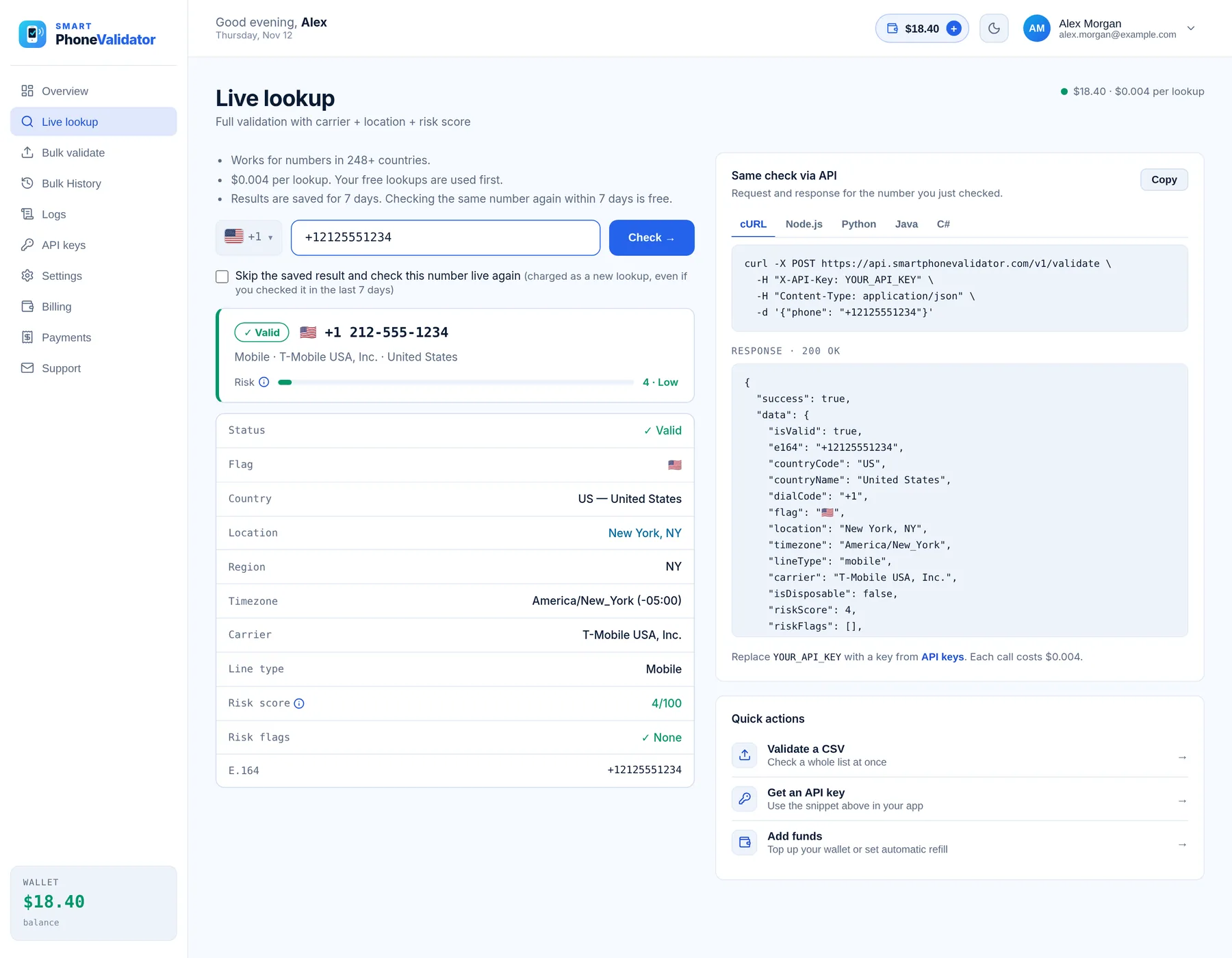
- Status shown as Valid, Risky or Invalid, with a 0–100 risk score and its flags
- Country, region, timezone, carrier, line type and the E.164 number
- The same check as a ready-to-copy API request, in cURL, Node.js, Python, Java or C#
- $0.004 per lookup; checking the same number again within 7 days is free
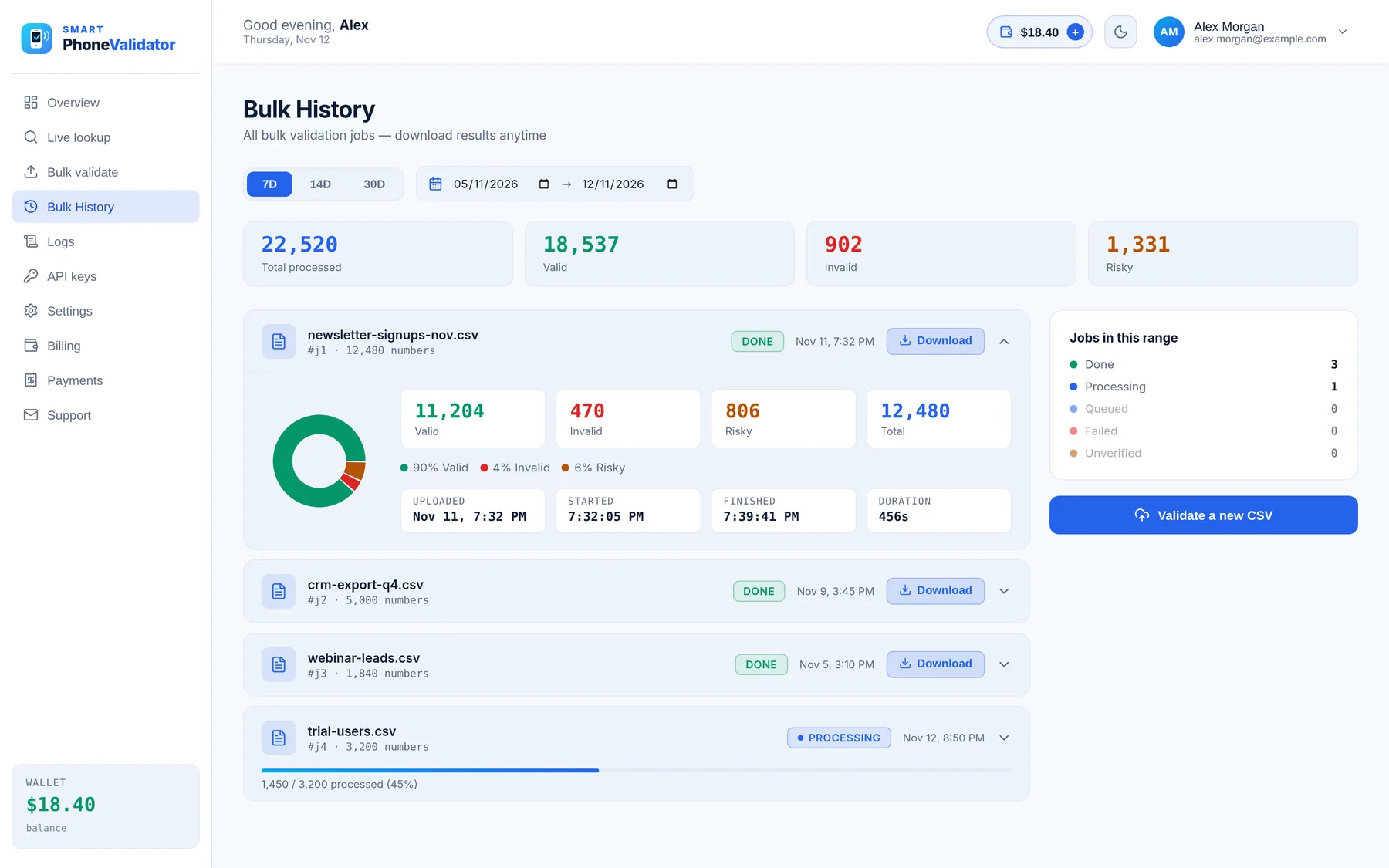
- CSV or Excel files, with a choice of which column holds the phone numbers
- Live progress, then valid, risky and invalid counts for every file
- Download the results as a CSV, and get an email when the job is done
- Repeated numbers in a file are charged once
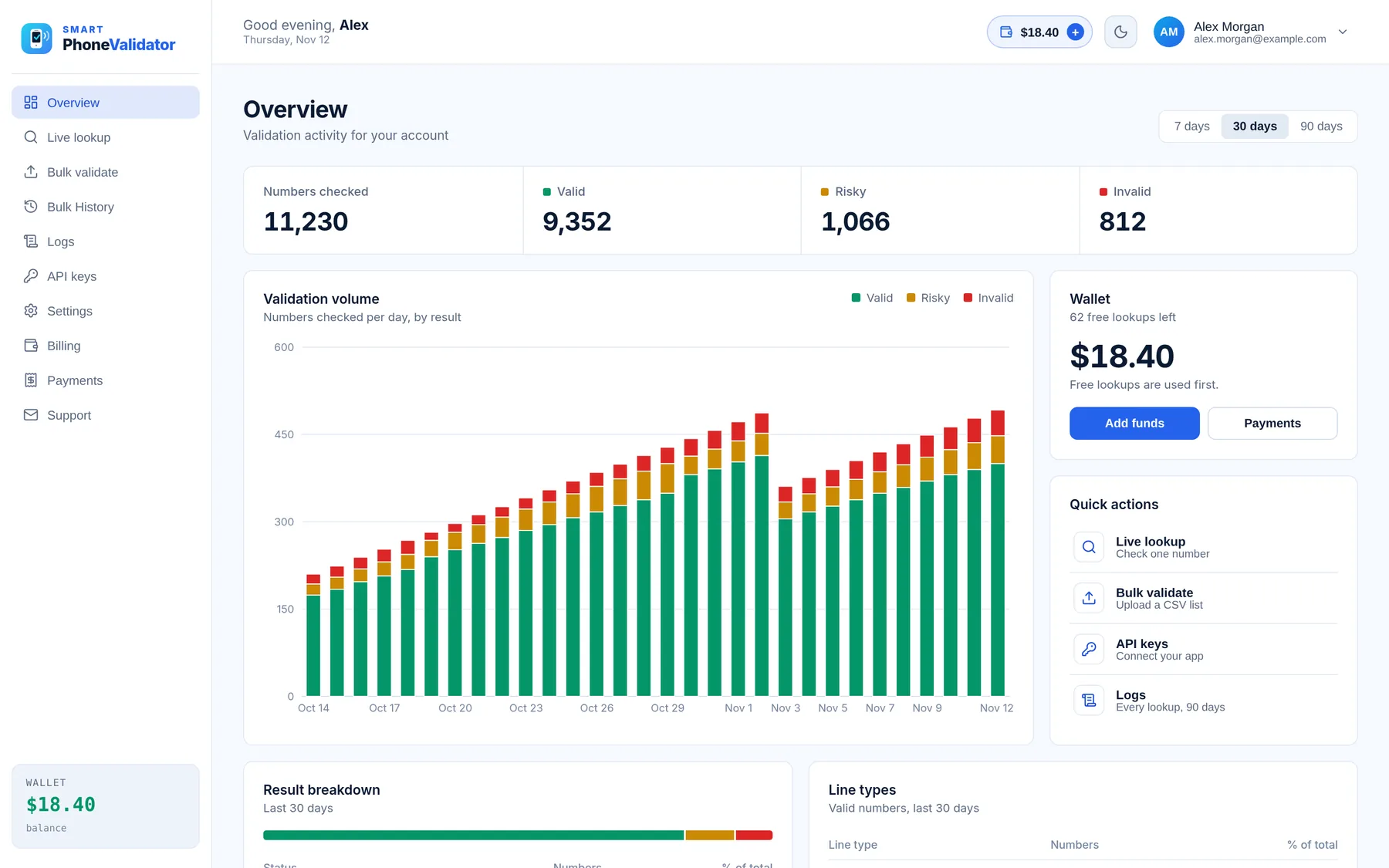
- Valid, Risky and Invalid totals for the period you choose
- A daily chart so you can spot spikes in volume or bad data
- Wallet balance and the mix of line types at a glance
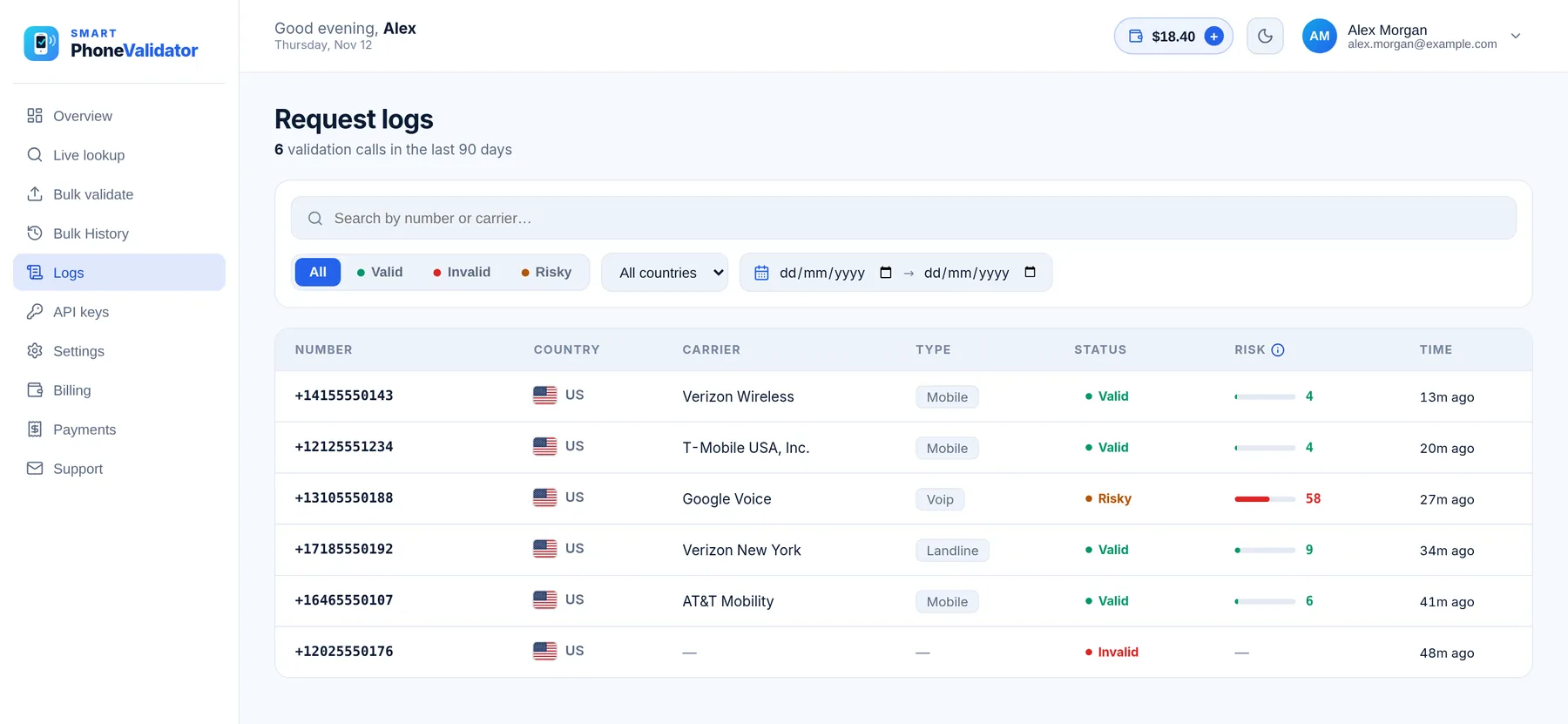
- Search by number, and filter by status, country or date range
- Carrier, line type, status and risk score for every request
- Lookups from the dashboard and from the API in one list
Separate the facts from the decision.
Different fields support different operational choices.
Clear data practices. Clear responsibilities.
Review how SPV describes customer-data processing before introducing it into your workflow.
Your numbers.
Your processing purpose.
SPV’s published policy states it processes submitted data to deliver the requested service and does not sell submitted personal information.
Read the privacy policyPrivacy and data protection
The policy addresses GDPR and UK GDPR, data-subject rights and international transfers. Customers remain responsible for their lawful basis for processing.
Retention and security
Retention varies by purpose and legal requirements. Review the published policy and ask the team for retention periods and the controls relevant to your deployment.
Validation and outreach consent
A valid number does not establish permission to call or text. Apply your consent, suppression and channel-specific checks separately.
Direct answers to your questions.
Find the practical details for this page.
Which fields can SPV return?
Validity, standardized formats, line type, carrier, location, timezone and risk fields. Availability can vary by number and country.
Does a location field track the phone owner?
No. It describes number-associated geographic context, not current physical location.
Does formatting prove a number is active?
No. A well-formed number is not by itself evidence of current service or reachability.
Can a valid number still have a risk flag?
Yes. Validity and risk answer different questions. Read the reason and apply your own review policy.
Can I check numbers through my dashboard?
Yes. The dashboard has single lookups, bulk CSV uploads, and a history of your lookups and bulk jobs.
Will the same details be available worldwide?
Not necessarily. Test the countries and fields required for your workflow.
Start with the numbers you have.
Check a single number, clean a contact list, or add validation to your app.